An employee signs in, passes the identity and device checks, and opens one application. An AI agent signs in once, then calls a model, three MCP tools (Model Context Protocol, the protocol that connects an agent to tools and data) and an internal API in a few seconds, sometimes on behalf of a person who has already moved on to something else. Zero Trust checks made at sign-in say very little about what happens next.
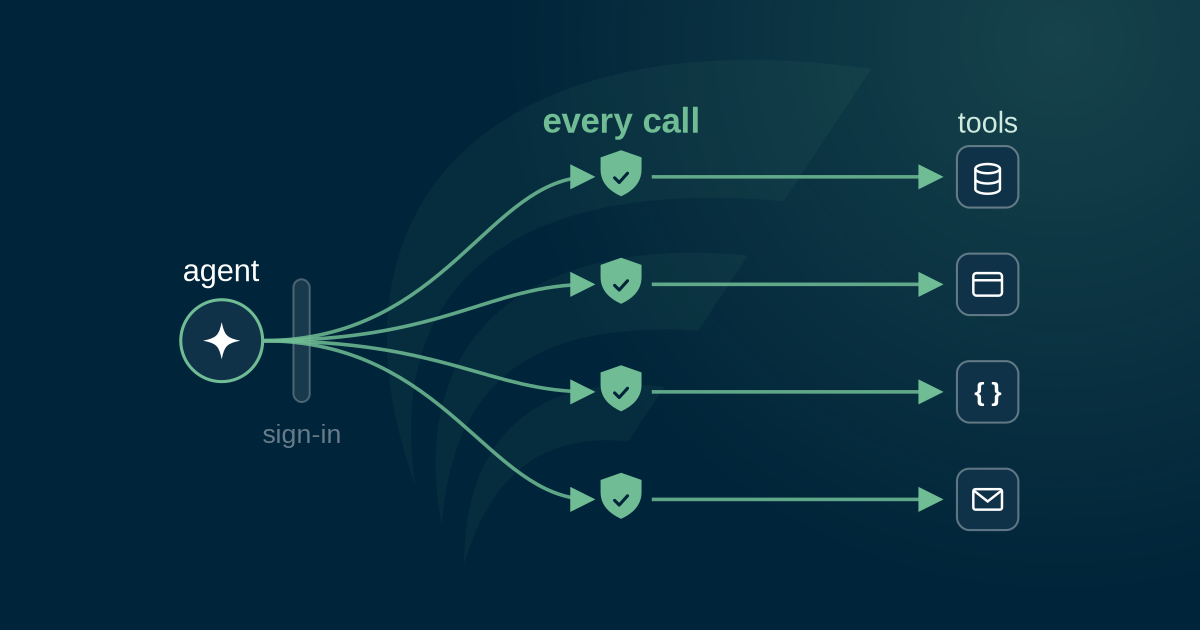
Zero Trust for AI agents means applying the same rule to an agent as to a person: no implicit trust, every request verified against an identity and a policy, and no more rights than the task requires. What changes is the unit of control. For a person it is the application; for an agent it is each tool call, each model call and each outbound request.
Cloudflare put the subject on stage at Connect 2026, as a direction for Cloudflare One rather than as a product. Most of what you need to apply it has already shipped. This article covers the four checkpoints we put in place for an agent, the Cloudflare One component that enforces each one, its status, and what it does not see. The full list of what changed in Cloudflare One in 2026 is on our Cloudflare One page.
MCP server portals generally available (24 September 2026); MCP traffic detection in beta; Zero Trust applied to agents' actions presented as a direction. We update this article when a status changes.
Why doesn't Zero Trust at sign-in hold for an AI agent?
The principles do not change. NIST SP 800-207, the reference text on Zero Trust architecture, already asks for access granted per session, with least privilege, decided by a dynamic policy. Those rules were written with people and their devices in mind, and an agent strains them in three ways:
- It acts on behalf of someone. When an assistant opens a ticket for an engineer, the record has to carry both identities: the person who asked and the software that acted.
- It chains calls. A check on the first call leaves the next twenty unchecked if nothing sits in their path.
- It can start other agents. According to Cloudflare at Connect 2026, attribution is lost as soon as one hop in the chain goes untraced.
Cloudflare also observed on stage that many organisations cannot list the agents they run, and that many of those agents hold administrator rights. Its summary of the task was short: "Same principles, implemented differently."
In practice that means four checkpoints, each applied at every call rather than once: the agent's identity, the tools it can call, its egress to models and to the internet, and the trace it leaves.
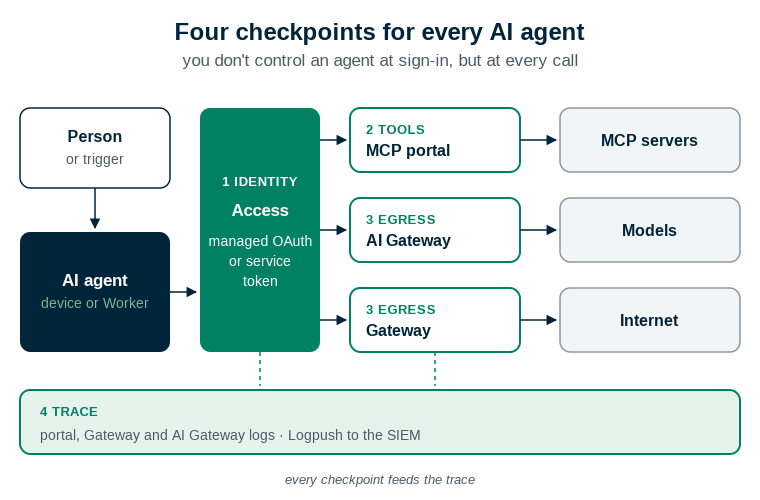
Which identity should an AI agent use?
The answer depends on one question: does a person start the agent, or does it run on its own? An agent a person starts usually signs in with managed OAuth (OAuth is the standard that lets an application act on a user's behalf without seeing their password). An autonomous agent, such as a scheduled task or a job in a CI/CD pipeline (continuous integration and continuous delivery, the pipeline that builds and ships code), uses a service token.
| Agent | Credential | What Access knows | What to plan for |
|---|---|---|---|
| Started by a person (coding assistant, internal copilot) | Managed OAuth: the person signs in once, the agent receives a token in their name | the person's identity; group-based policies apply | short-lived tokens; the agent holds the person's rights and no more |
| Autonomous (scheduled task, CI/CD pipeline, background agent) | Service token checked by a Service Auth policy | the token alone, with no user identity | one token per agent, a secrets vault, rotation |
| Hosted on Workers | Access in front of the Worker; the caller's identity is available in the code (ctx.access) | the caller's identity | the Worker's outbound calls need their own control (see egress below) |
Managed OAuth, available since 20 March 2026, turns Cloudflare Access into an OAuth 2.0 authorisation server for clients that have no browser: command-line tools, agents, scripts (changelog). They go through the same policies as a browser sign-in. The documentation recommends an access token of 5 to 15 minutes and a session of one to two weeks. Each time the token is renewed, Access evaluates the user against its policies again, so a person who leaves a group loses the agent's access at the next token renewal.
A service token is a machine identity. The trade-off is that Access ties the request to the token, not to a person, which has consequences further down the line, in model logs in particular. Since 25 August 2026, a token's secret can be rotated with a grace period of one hour to 30 days, and a token can be switched off without being deleted, which makes one token per agent easier to run.
A dedicated agent identity, distinct from both, was presented at Connect 2026 as a direction, with no date. According to Cloudflare, vendors have not settled on a common model yet, and Cloudflare, Okta and Ping each approach it differently.
Never share a service token between two agents. If they share one, you can't revoke one agent without stopping the other, and the logs can't tell them apart.
How do you set AI agent access control, tool by tool?
Take a CRM (customer relationship management) server that exposes two tools: one reads accounts, the other deletes them. The agent that summarises accounts only needs the first. Granting it "access to the CRM" gives it both.
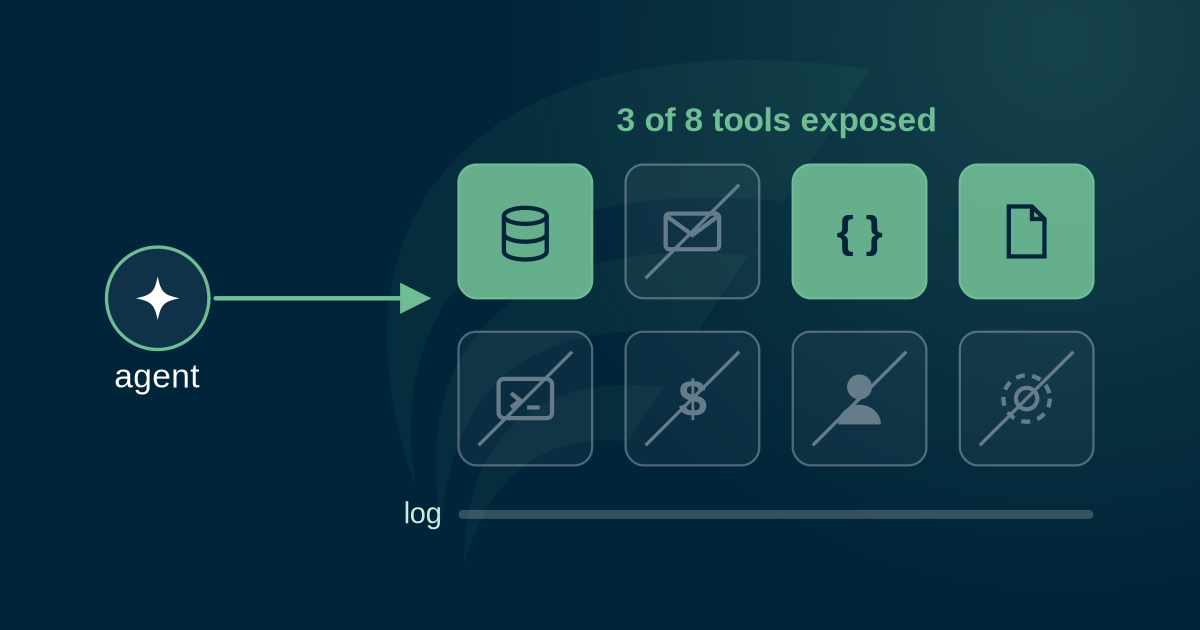
Cloudflare MCP server portals, generally available since 24 September 2026 (changelog), put approved MCP servers behind one endpoint with its own Access policy and decide which tools each agent can see. You choose the servers, tools and prompts a portal exposes, and Access logs the activity.
Least privilege for an agent is measured in tools, not in applications.
Three documented behaviours matter when you design around portals (service tokens on portals, 26 June 2026):
- The service token is checked twice: once at the portal, then again for each upstream server it tries to reach.
- A server with no matching policy is hidden from the agent: it simply isn't in the agent's tool list. One portal can therefore serve several agents, each seeing only its own servers.
- A server set to "Require user auth" (
on_behalf: truein the API) is excluded from service-token sessions, because it needs a per-user OAuth grant a token cannot provide. Such servers are for agents started by a person.
Internal servers do not need to be exposed: since 22 September 2026 a portal can reach them through Cloudflare Tunnel or Cloudflare Mesh via Gateway. Their OAuth endpoints, however, must remain publicly reachable.
Server-by-server configuration (curation, aliases, Code Mode, log fields) is covered step by step in how to secure an MCP server in production.
How do you catch MCP traffic that bypasses the portal?
A portal only controls what goes through it. A developer who adds an MCP server to their laptop has bypassed it without meaning to, and so has any agent configured with a server's direct URL.
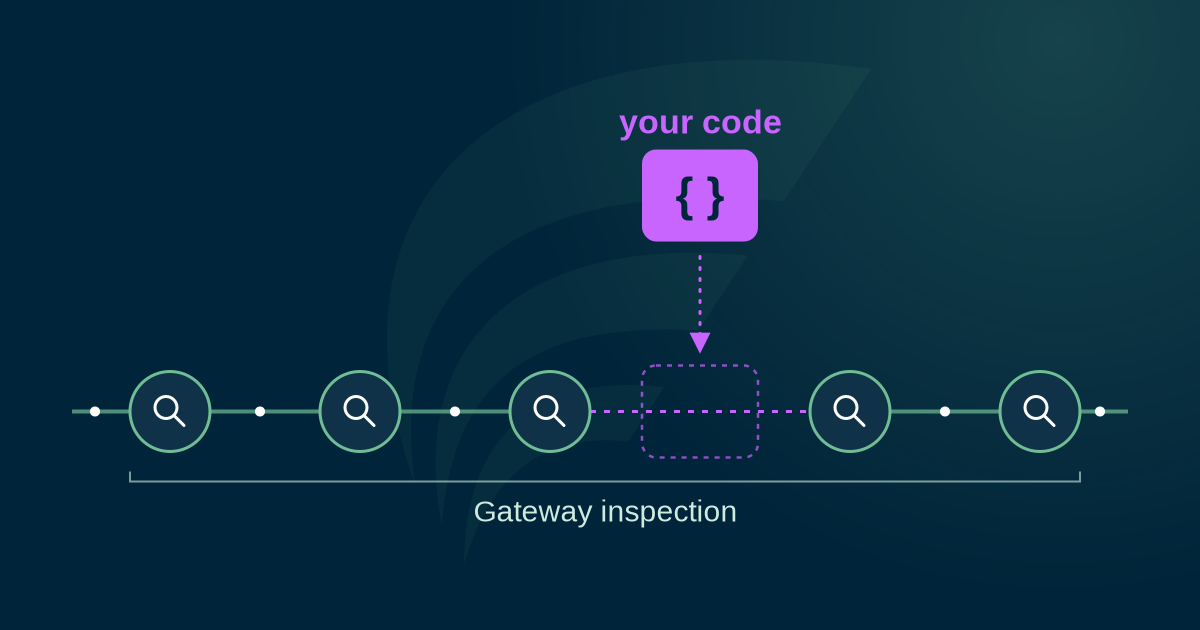
Cloudflare Gateway can recognise that traffic (changelog, 12 August 2026). The Is MCP selector, in beta, combined with the traffic source, lets you block MCP that does not arrive through an approved portal. The AI security report shows what was found.
Two limits apply. Detection only sees traffic that goes through Gateway: devices running the Cloudflare One Client, network on-ramps, Workers routed through Gateway. An agent on an unmanaged server stays out of sight. And Gateway only inspects the portal's own traffic if the portal is routed through it, an option available since 20 March 2026 (changelog). The HTTP logs and DLP (data loss prevention) profiles then apply, except the "AI prompt" profiles.
Run the blocking rule in log mode first. What it records is your inventory, and the block comes once the teams concerned have a portal to move to.
See which AI tools and MCP servers your teams use →
The same discovery loop covers new AI tools: the Gateway Forward use cases show how to be alerted when one first appears.
How do you control what an agent sends to models and to the internet?
An agent sends two kinds of traffic out, and each has its own control point.
Model calls go through AI Gateway. Placed behind Access since 5 August 2026 (changelog), AI Gateway receives the authenticated user's identity as cf.user_id, which it uses in logs, routing and per-user spend limits. Requests made with a service token do not receive it (documentation). For an autonomous agent, attribution comes from custom metadata: up to five entries per request, with cf.* keys reserved by Cloudflare.
User Insights, released on the same date at no extra cost, flags a session whose AI cost goes above twice the user's own 95th percentile over 30 days and above the organisation's 99th percentile. According to Cloudflare, that is often the first sign of a compromised credential or an agent that has gone off course. It raises a flag but blocks nothing.
Internet traffic goes through Gateway, provided it reaches Gateway. On devices, that is the Cloudflare One Client. For a Worker, it is the VPC Network binding cf1:network, available since 5 June 2026 with Workers VPC in beta, which applies Gateway's DNS, HTTP and network policies and logs to the Worker's outbound traffic (VPC Networks). The documentation describes Gateway egress only for requests made through that binding, so every outbound call from the Worker should use it.
Name every autonomous agent in AI Gateway metadata from day one. Service-token requests carry no user ID, so without that key you'll know what was spent, but not by which agent.
Model call costs, logs and limits are covered in depth in LLM observability.
Which logs answer "who, or what, did what"?
The table maps each audit question to the log that answers it. Several of these logs end up in a SIEM (security information and event management), the system where your security team correlates them.
| Question | Where the answer is | Limit |
|---|---|---|
| Which tool did the agent call, and when? | MCP portal logs (Access) | export to a SIEM through Logpush on Enterprise plans only |
| What did it send to an MCP server, and was it blocked? | Gateway HTTP logs, if the portal is routed through Gateway | "AI prompt" DLP profiles do not apply |
| Which model, at what cost, for whom? | AI Gateway logs | no cf.user_id for a service token: use metadata |
| Which internet destinations? | Gateway DNS, HTTP and network logs | only traffic routed through Gateway |
| Which MCP servers outside the portal? | AI security report, Is MCP selector | selector in beta |
A Zero Trust architecture for AI agents leaves an actionable audit trail only if every agent has its own identity and every one of its flows goes through a checkpoint. A request made under a shared token, or a call that leaves outside Gateway, appears in no log under the right name.
How that trail feeds an audit and a posture review is covered in AI security posture management.
What isn't covered yet?
Four directions were presented at Connect 2026, with no date or commitment:
- Zero Trust applied to the agent's actions, not only to its access;
- a dedicated agent identity, distinct from a user and from a service token;
- per-tool, per-user control within a single server, beyond the selection made at portal level;
- behavioural analysis, known as user and entity behaviour analytics (UEBA), which compares activity with what is usual rather than with fixed thresholds.
Some limits are documented today:
- MCP detection is in beta;
- portals only accept remote HTTP servers, so a
stdioserver has to be hosted behind HTTP; - the administration token for a server can expire without notification, and the server then disappears from the portal;
- some servers refuse a proxy client and answer with a
403error; - a portal holds up to 80 servers.
Where a client needs a check before a sensitive tool runs, such as an alert, a validation step or an approval workflow, we build it on Workers, alongside the native controls rather than in their place.
The other limits of the platform are listed on our Cloudflare One page.
Where should you start?
In the order we would put these controls into production:
- List your agents. Turn on the AI security report and an Is MCP rule in log mode.
- Give each agent its own identity: managed OAuth when a person starts it, one service token per autonomous agent.
- Put your MCP servers behind a portal, with only the tools each agent needs.
- Block MCP outside the portal, once the inventory is complete.
- Place AI Gateway behind Access, with metadata naming each autonomous agent.
- Route egress through Gateway: the Cloudflare One Client on devices, the
cf1:networkbinding for Workers.
If Gateway is not yet in production for your users, start with the SASE and Zero Trust foundation.
Brixio deploys and operates these controls on Cloudflare One, through professional services and managed services. We are an Authorized Cloudflare Service Delivery Partner (ASDP), certified ISO/IEC 27001:2022, with 450+ projects delivered and 24/7 operations from Paris, Dubai, Singapore, Casablanca and Zurich. Our agentic AI security offer and our AI security practice set out the scope.
Zero Trust for AI agents: frequently asked questions
It means applying the same rule to an agent as to a person: no implicit trust, every request verified against an identity and a policy, and no more rights than the task requires. The difference is the unit of control: for an agent it is each tool call, each model call and each outbound request, not the application.
It depends on whether a person starts the agent. If so, managed OAuth lets the person sign in once and the agent act in their name, under the same Access policies. An autonomous agent uses a service token, one per agent, so that it can be revoked and identified on its own.
On Cloudflare, an MCP server portal, generally available since 24 September 2026, exposes only the servers and tools you choose, behind its own Access policy. A service token is checked at the portal and again for each upstream server, and a server with no matching policy is hidden from the agent.
Cloudflare Gateway's Is MCP selector, in beta since 12 August 2026, identifies MCP traffic and can block what does not come through an approved portal; the AI security report shows what was found. It only sees traffic routed through Gateway, so devices off the corporate network need the Cloudflare One Client.
For an agent acting on behalf of a person authenticated by Access, yes, when AI Gateway sits behind Access on a custom domain: the identity arrives as cf.user_id. For a request made with a service token, no: the agent has to be named in custom metadata, up to five entries per request.
A dedicated agent identity, per-tool and per-user control within a server, behavioural analysis and Zero Trust applied to the agent's actions were presented at Connect 2026 as directions, with no date. MCP traffic detection is still in beta.