Cloudflare OS puts your company's standards into everyone's work.
An AI agent for every employee: it knows how you work, works in your tools and runs in your own Cloudflare account.
No more choosing between holding AI back and letting it spread without guardrails
Until now, AI at work came down to two options, and neither was good. Either you kept it to a few teams and everyone else waited their turn, or you let people get by with their own tools and prompts, without really knowing where the data went. Cloudflare said as much itself in October: IT and security leaders had to choose between slowing the business down and letting AI spread without guardrails (press release of 19 October 2026).
Cloudflare OS gets you out of that bind. Every employee gets an agent that starts from the same foundation as their colleagues, acts in your tools and can build the small apps they need. Access rights apply to the data itself, so nothing stops you opening it to the whole company. Cloudflare released it as open source on 5 August 2026 and presented it at Connect 2026. It runs alongside Cloudflare One, without being part of it.
What is Cloudflare OS, and what can each employee do with it?
Cloudflare OS gives everyone an AI agent that knows how the company works and acts in your tools
Cloudflare OS is an open-source AI workspace that Cloudflare released on 5 August 2026 under the Apache 2.0 licence. Every employee gets an agent grounded in the context and skills the company has chosen. That agent acts in the tools already in place and builds small apps that colleagues can pick up. It all runs in the company's own Cloudflare account, and Cloudflare describes it as early access.
The "OS" in the name has nothing to do with the system on your laptop. It describes the architecture: like a kernel, a small core decides what each agent and each app is allowed to touch, and everything else runs on top of it (README).
Every agent starts from the context and skills the company chose
You open your browser and talk to your agent. It does not start from scratch: every conversation builds on the context and skills your company has selected (launch post).
Context means your pricing rules, the structure of your proposals, your contract templates, the way support answers a ticket. A skill is the know-how for one task, written down: putting together a sales proposal the way your team does it, for example. Written once, it serves everyone. Two people asking the same question start from the same base, not from whatever each of them made up that morning.
Sam Rhea, Cloudflare's CIO, gets straight to the point: "The context from the organization matters more than the model" (CIO post).
It acts in Google Workspace, Microsoft 365, GitHub, Slack… through one Gatekeeper per service
To reach your tools, the agent goes through Gatekeepers, one per service. On 6 November 2026 the repository has 13 of them, including GitHub, Google, Microsoft 365, Slack, Notion, Confluence and ZoomInfo.
On the Google side, the agent reads and drafts your Gmail messages, and since 1 October 2026 it can send them. It also works in Docs, Sheets, Slides, Calendar, Chat and BigQuery, and in Drive, as a whole, on one folder or on a single document. On the Microsoft 365 side, it reaches SharePoint, OneDrive, and Outlook mail and calendar, with the user's own permissions. Teams is not covered.
The 1 October 2026 update added work on your existing GitHub repositories and exports to xlsx, CSV, PDF, Markdown and HTML; docx and pptx are announced. On 19 October, Cloudflare also announced integrations with Asana, Box, Canva, ClickHouse, Gong and others. Workspaces inside Slack and other chat tools are announced too. While these are announcements, check their status in the repository before you count on them.
You describe the tool, the agent writes it, your colleagues pick it up
You describe what you need, and the agent writes the app (a “gadget”, in Cloudflare's vocabulary). It runs isolated: its server code in a Dynamic Worker cut off from the network, its interface in a sandboxed frame in the browser.
A gadget can be shared in two ways. Live, with your colleagues. Or as a blueprint: a copy of the app without its data, conversation history, credentials or connected resources. Whoever receives it can adapt it themselves with AI, without going through the development team.
This is the part that excites us most. People who are not developers write software that genuinely runs, and their colleagues pick it up and improve it. Cloudflare's CIO says so openly: "not every member of our team spends their day in developer tools. And we do not think they need to!"
One team's best method becomes every team's starting point
When someone finds a better way to do something, everyone can use it: that is the idea behind the shared library of context and skills (launch post). The sales skill that works, the finance template that saves an afternoon, become the next person's starting point instead of sitting in one inbox.
What Cloudflare's CIO expects most from AI is that it builds tools. A weekly follow-up, a monthly reconciliation: that recurring work becomes an app that runs on its own, without asking a model again every time someone opens it.
Two examples from Cloudflare, as its CIO tells them. A member of the IT team shared an agent that tracks laptop replacements with a colleague in finance. And the IT help desk app the CIO built for himself drafts replies to tickets, which he reviews before sending (CIO post).
Want examples by function, from sales to legal and HR? See what each team can do with it.
What does a company gain from Cloudflare OS?
Company know-how, written once, benefits everyone
Let's say it plainly: Cloudflare OS floored us. Access rules take into account what the agent has read, not just the tools it can call. People who are not developers build software that their colleagues pick up. To us, it is a real revolution in how we work with AI.
Until now, AI at work belonged to a few insiders. With Cloudflare OS, the company writes its context and skills once, and everyone builds on them. A new hire works the company's way, not their last employer's. One team's good method becomes the next team's starting point. And the company knows which context its agents run on, because it wrote it.
At Cloudflare: thousands of users and 4,000 apps in 30 days
According to its CIO, thousands of Cloudflare employees use it every week. Over the month before his post of 5 August 2026, Cloudflare estimates that its sales team saved more than 10,000 hours, on tasks such as territory planning and proposal preparation. Over those same 30 days, users created more than 4,000 apps and tools (CIO post).
That figure is Cloudflare's estimate, for its own sales team, over one month: we would not turn it into a forecast for yours. What it does show is what happens when a whole company has access. At Cloudflare, the first version was opened to everyone in May 2026, and many of its users are not engineers (launch post). On 1 October, Cloudflare said that thousands of organisations had started using it.
- Thousands
- of Cloudflare users every week
- 10,000+
- hours saved by the sales team in one month (Cloudflare estimate)
- 4,000+
- apps and tools created in 30 days
The right model for each team, with a budget per person
Cloudflare OS works with any model, and every call goes through Cloudflare AI Gateway. You decide who gets what: at Cloudflare, some models are reserved for some roles. Since 5 August 2026, AI Gateway can also cap spend per authenticated user (a feature still in beta). To organise all this team by team, see our AI workspace use case.
Google Workspace and Microsoft 365 stay in place
Cloudflare OS acts on Google Workspace and Microsoft 365 through its Gatekeepers. Your mail, documents and meetings stay where they are.
Open source, and it runs in your own account
Cloudflare OS is open source, under the Apache 2.0 licence, and runs in your own Cloudflare account. Cloudflare describes it as a platform designed to belong to the company that runs it. For now, that means you need a Cloudflare account: running it on your own servers with workerd is marked "coming soon".
Why can Cloudflare OS be opened to every team?
Each agent only sees what its user is allowed to see, so the whole company can use Cloudflare OS
Cloudflare's CIO tells a story many CIOs will recognise. A salesperson built an app with AI. To run it, he asks for production access to about a dozen systems of record, plus admin rights on a deployment pipeline. "Keys plural." Hand them out, and you lose track of who reads what. Refuse them, and the work moves to tools you don't control. His rule since then is simple: using AI should never give you more permission on systems of record.
With Cloudflare OS, nobody asks "Can I have a key?" any more. The question becomes "Can my agent read this repository?", and a Gatekeeper answers it as narrowly as possible, keeping a trace. Every agent starts with no access at all. Each external service sits behind a Gatekeeper that holds the credential and logs every action. A shared app only opens for someone who could read everything it has already read. Around it, Cloudflare Access decides who gets in, and data loss prevention in Cloudflare Gateway, or in AI Gateway (beta), can inspect what is sent to a model. That is what lets you go well beyond IT.
- An agent starts with no access at all
An agent starts with access to nothing. A resource reaches it in one of two ways: you present it, or the agent asks for it. It then receives a Workers binding limited to that one resource, which it sees as a plain API. The credential stays behind, out of its reach. According to the launch post, its code then looks like this (illustrative):
const issues = await env.PROJECT.listIssues({ teamId: "ENG", state: "open" });- Every service sits behind a Gatekeeper that holds the key
- Demo · A GitHub GatekeeperAgentNo access by defaultGatekeeperWorker · OAuthGitHubSystem of record
- Credential held by the Gatekeeper
- Scope: one repository
- Sensitive fields masked
- Action logged
Pick a request above.LogA GitHub Gatekeeper
- Read open issues
- Allowed · scope: 1 repository, issues only
- Read the source code
- Denied · out of scope (issues without the code)
- Merge a pull request
- Pending · a human approves before the merge
Each external service has its own Gatekeeper: a Worker that holds the OAuth credential (the standard that lets an app act for you without knowing your password), restricts access, logs every action and can require approval before anything that changes something. Cloudflare's example is GitHub: one repository only, issues without the source code, sensitive fields masked, rate limits, and a human who approves before a merge. Nothing to do, by the way, with the macOS feature of the same name.
- Your agent never shows a colleague a document they don't already have access to
- Demo · Share a gadgetGadget “Margins by customer”Has already readDrive · FinanceCRM · Customer accountsWho wants to open it?Pick a colleague
Share a gadget
Gadget “Margins by customer”
- Has already read
- Drive · Finance, CRM · Customer accounts
- Léa (Finance)
- Open for Léa. They can read everything the gadget has read.
- Marc (Sales)
- Closed for Marc. Missing: Drive · Finance.
- Inès (Support)
- Closed for Inès. Missing: Drive · Finance, CRM · Customer accounts.
Cloudflare OS keeps track of every resource an agent has looked at (launch post). When someone else wants to open the workspace, talk to the agent or see what it produced, the Gatekeepers check that person's rights on those resources. It is a check at the door, all or nothing: a shared gadget only opens for someone who proves, with their own connected account, that they could read everything it has already read. Otherwise the door stays shut, and the check runs again at every opening. Once the gadget is shared, any new read that one of those people could not make themselves is blocked. After a read of sensitive data, the agent can also be stopped from writing to certain destinations, inviting new collaborators, handing off to another agent or sending a request outside.
The repository also describes a restricted mode (repository documentation). Once restricted data has been read, every action needs manual approval. Web requests then only go to hosts an administrator trusts with that data (none by default) or, if the administrator allows it, to an address the user approves. Cloudflare's CIO sums up the spirit of it: when he shares an agent with someone, the access the agent gives that person should reflect their permissions, not his.
“Using AI should never give you more permission on systems of record.”
In other words: when you share an agent with your colleagues, you don't share your permissions with them.
- The agent keeps going, you approve its actions afterwards
- Demo · Approve after the factSend the follow-up email to 3 customersDoneCancelledCreate the “Licence renewal” ticketDoneCancelledUpdate the “Q4 pipeline” sheetDoneCancelledNo pending actions yet…
Rather than interrupting the agent at every step, the Gatekeeper simulates the result of an action that needs approval, and the agent carries on. You then approve or reject the pending actions, in a batch or one by one. That way, the agent never has to approve its own actions.
- Every gadget runs isolated, in a sandbox
On the server side, a Dynamic Worker with no outbound access; in the browser, an isolated frame.
Cloudflare One controls who connects and blocks sensitive data before it leaves for a model
Two Cloudflare One components surround the workspace. Access decides who gets in, based on your identity provider. MCP server portals connect the Model Context Protocol (MCP) servers you already run.
At Cloudflare, the CIO adds that the DLP rules of their secure web gateway (SWG) stop certain datasets from ever being sent to a model provider. That is Cloudflare's own deployment choice: DLP comes from Cloudflare One, not from Cloudflare OS. To spot AI tools adopted without approval, outside the workspace, there is shadow AI detection. To know what could leave for a model, and how to stop it, see what leaves for a model, and what stops it.
All of this applies to agents that run inside Cloudflare OS. Agents running elsewhere need other controls: see agentic AI security and Zero Trust for AI agents. Securing an MCP server behind MCP server portals is covered separately.
How do you run Cloudflare OS?
It's your software: your platform team runs it
Cloudflare OS is software you deploy in your own account. Once it is in place, running it is your job. The code lives in two repositories: the core, maintained by Cloudflare, and a starter repository that uses the core without modifying it and holds your configuration.
Eight areas to assign before you start
| Area | What you own | Decision to take first |
|---|---|---|
| Code | the deployment repository, updates of the core | how often to take upstream changes, and who reviews them |
| Gatekeepers | one per system of record, with its scopes and approval rules | which systems first, read or write |
| Credentials | OAuth client registrations for each service | who holds them, how they are renewed |
| Identity | the Access rules in front of the workspace, the identity provider | which groups and which devices are allowed |
| Models | the providers and models opened to each team in AI Gateway | which tasks justify a frontier model |
| Spend | budgets and limits per person, team or workspace | what happens when a limit is reached |
| Context | shared context and skills | who writes them, who reviews them, how changes are approved |
| Audit | Gatekeeper and AI Gateway logs | where they go, how long they are kept |
On spend, Cloudflare's CIO makes an obvious point: not everyone needs the most advanced model. At Cloudflare, AI Gateway reserves some models for some roles and sends scheduled tasks to leaner ones. To measure that spend, see LLM observability.
Shared context needs an owner in every function
The shared context is what makes the agents valuable. It needs an author, a reviewer and a way to approve changes, or it drifts. Sales describes its offers, legal its standard clauses, HR its published policies, and each of them reviews what the agents read about their area. Who does it? That is yours to decide when you deploy. It will still be the case with the managed version Cloudflare has announced: you decide who can access Cloudflare OS, which context and skills are available, and which systems it can reach (1 October update).
Start from the tasks people want to hand off, not from the technology
At Cloudflare, the technology came second. The CIO says they started from the tasks people wanted done. Employees sent the work they no longer wanted to do to an email alias, the "magic AI email bot", and that work became skills, then apps. No dedicated AI team, though: Cloudflare found early adopters in different roles and made them champions for their colleagues (CIO post).
Start small: one team, one task, read-only
Before the first session, have in place:
Then move forward in this order:
An internal system has no Gatekeeper? Someone has to write one: that is custom development on Workers. The deployment itself falls under our professional services.
Brixio deploys it, runs it 24/7 and already uses it in-house
Cloudflare uses Cloudflare OS for its own teams. We are doing the same: we are setting up Brixio OS, our own instance, for our teams, before we bring it to yours. We are learning it the way your teams will, by using it as we roll it out.
Brixio deploys and operates Cloudflare products for regulated organisations: 450+ projects delivered, ISO/IEC 27001:2022, 24/7 operations from Paris, Dubai, Singapore, Casablanca and Zurich. Here is how the work splits around a Cloudflare OS workspace.
You want every team to use it, beyond a pilot group
- What Cloudflare provides today
- Cloudflare OS for the workspace, Access and AI Gateway around it
- What we do for you
- we organise the shared foundation with your teams, open the workspace one Access group at a time and run it day to day
You want a pilot without opening the workspace to everyone
- What Cloudflare provides today
- Cloudflare Access, which controls who enters the workspace
- What we do for you
- we connect Access to your identity provider and write the rules for a pilot group
You need control over AI models and spend
- What Cloudflare provides today
- AI Gateway, with attribution, budgets and rate limits on every model call
- What we do for you
- we set up providers, model rules, budgets and logs in AI Gateway
Your AI agents need an internal system that has no Gatekeeper
- What Cloudflare provides today
- Gatekeepers for a list of services; any other system needs one written for it
- What we do for you
- we build it on Workers, the platform Gatekeepers run on
You would rather not carry the run alone
- What Cloudflare provides today
- code you deploy and maintain in your own account
- What we do for you
- we operate Access, AI Gateway and your Workers 24/7, as part of our managed services
Our Workers work is there to see: brixio.io itself runs on Cloudflare Workers, and we built Bot Shield on Workers for an airline. Would you rather hand us the whole workspace? We also offer an AI workspace piloted and run by Brixio.
Promising, still early access: here is where each piece stands
What has changed:
There is no product page. The official sources are the posts cited, the GitHub repository and os.cloudflare.app. Agents reach your tools through Gatekeepers and, for existing servers, through MCP, the standard that connects an agent to tools and data (glossary).
What is Cloudflare OS built from, and what is the status of each piece?
The Cloudflare building blocks are available; the Cloudflare OS code is early access
| Building block | Role in Cloudflare OS | Cloudflare product family | Status |
|---|---|---|---|
| Cloudflare Workers | runs everything | Developer Platform | available |
| Durable Objects | one per workspace and per gadget: state, real-time collaboration | Developer Platform | available |
| Dynamic Workers | loads each gadget's server code on demand, with no outbound access | Developer Platform | open beta since 24 Mar 2026, Workers Paid plan |
| Durable Object Facets | a SQLite database for each gadget | Developer Platform | documented, no status stated |
| Cloudflare Access | controls who enters the workspace | Cloudflare One | available |
| MCP server portals | connects the MCP servers you already run | Cloudflare One | available (24 Sep 2026) |
| AI Gateway | every model call, with attribution, budgets and rate limits | AI platform | available; Access identity and per-user spend limits since 5 Aug 2026 (spend limits marked beta) |
| Gatekeepers | one Worker per external service | Cloudflare OS code | early access |
| Gadgets and blueprints | apps built in the workspace and their shareable templates | Cloudflare OS code | early access |
| Cap'n Web | calls between a gadget's client and server, usable by the agent | open-source library | open source, no product status |
In short: Access and MCP server portals come from Cloudflare One, the runtime is the Developer Platform, inference goes through AI Gateway, and Gatekeepers and gadgets are code you deploy and maintain. Only the Cloudflare products carry a product status; the Cloudflare OS code itself is early access. Workers runs code on Cloudflare's network, as close to users as possible: that is edge computing.
Is Cloudflare OS part of Cloudflare One?
Cloudflare OS runs on the Developer Platform, takes Access and MCP server portals from Cloudflare One, and uses AI Gateway for models
No, Cloudflare OS is not part of Cloudflare One. It is an application built on Cloudflare's Developer Platform that borrows two components from Cloudflare One: Access and MCP server portals. Inference goes through AI Gateway, part of Cloudflare's AI platform.
Cloudflare One is Cloudflare's Zero Trust and SASE (secure access service edge) family: Access, Gateway, CASB (cloud access security broker), DLP (data loss prevention), browser isolation, email security, Cloudflare WAN and Cloudflare Network Firewall. Workers, Durable Objects and Dynamic Workers belong to the Developer Platform, AI Gateway to the AI platform. R2 and the WAF (web application firewall) do not appear in the published architecture, and are not part of Cloudflare One either.
In practice, two teams share the result: the platform team runs the application, the security team owns Access and any Cloudflare One policies around it. Each building block also follows the plans and limits of its own product. The Zero Trust side is covered in SASE and Zero Trust.
- You open the workspace in your browser.
- Cloudflare Access checks who you are, with your identity provider.
- The workspace, a Durable Object, loads your session.
- The agent and its gadgets work, isolated in a Dynamic Worker.
- Every model call goes through AI Gateway: attribution, budget, limits.
- AI Gateway forwards it to the model provider allowed for your role.
- To touch a tool, the agent goes through that service’s Gatekeeper.
- Your existing MCP servers are connected through MCP server portals.
- The MCP server answers, within the allowed scope.
- The system of record answers; the Gatekeeper logs the action.
- Filter
How do you deploy Cloudflare OS?
Two routes available today, a managed version on a waitlist
| Route | What it is | Status |
|---|---|---|
| Deployment flow | os.cloudflare.app/deploy deploys into your account, on a workers.dev address | available |
| Starter repository | cloudflare-os-starter, for a deployment with your own Gatekeepers, changes and domain | available |
| Local run | on wrangler and workerd | evaluation only, "not meant for production use" |
Your own servers on workerd | the open-source runtime behind Workers | "coming soon" (README) |
| Managed version | to be launched from the Cloudflare dashboard with your domain, Access rules and AI Gateway; according to Cloudflare, Cloudflare would handle the rest | waitlist since 1 Oct 2026, no date or price |
With the managed version, according to Cloudflare, you would keep control of access, skills, context and the systems agents reach. Cloudflare would take on the configuration, the operation and the updates.
Where does Cloudflare OS stop today?
Ten limits to know before production
| Limit | What to plan for |
|---|---|
| early access, "many rough edges" | keep it away from critical processes at first |
| outside contributions not sought, small fixes only | keep your changes in your deployment repository |
self-hosting on workerd not documented | a Cloudflare account is needed for now |
| Gatekeepers provided for a list of services | a Gatekeeper to build for each internal system |
| managed version on a waitlist, no date or price* | run it yourselves until then |
hosted flow on workers.dev, no custom domain** | use the starter repository for a company domain |
| docx and pptx exports announced, not yet available* | xlsx, CSV, PDF, Markdown and HTML meanwhile |
| containers and Slack workspaces: announced*** | do not depend on them; the Slack Gatekeeper already exists |
| integrations of 19 Oct 2026 (Asana, Box, Canva, ClickHouse, Gong): announced**** | check the repository before you build on them |
| Dynamic Workers in open beta; no status stated for Facets***** | check before a production commitment |
Sources* post of 1 Oct 2026 · ** starter README · *** post of 5 Aug 2026 · **** press release of 19 Oct 2026 · ***** documentation, changelog
We really like the design. But the product is still early access, and running it falls to your platform team. For the wider picture, see our AI security page.
Cloudflare OS: frequently asked questions
Cloudflare OS brings two main new things. First, its access rules take into account what the agent has read, not just the tools it can call: a shared app only opens for someone who could read everything it has already read. Second, employees who are not developers build software in it that actually runs, and their colleagues pick it up and modify it. It all starts from context and skills the company chooses, in an open-source workspace that runs in the company's own Cloudflare account.
Yes, Cloudflare OS is designed for every team, not just IT. People describe the work in the browser, and the agent writes the app, without going through the development team. At Cloudflare, the first version was opened to the whole company in May 2026, and many of its users work outside engineering. It still takes a deployment and a shared foundation managed by the company, and the product is still early access.
With Cloudflare OS, every member of a sales or legal team has an agent that starts from the company's context, works in their mail and documents, and builds apps the team can reuse. For sales, Cloudflare's CIO estimates that Cloudflare's own sales team saved more than 10,000 hours in one month, on tasks such as territory planning and proposal preparation. For legal, a shared app only opens for someone who could read everything it has already read. Brixio's "AI workspace" use case gives examples by function.
No, Cloudflare OS replaces neither Google Workspace nor Microsoft 365: it works inside them, through its Gatekeepers. On the Google side, it acts in Gmail, Docs, Sheets, Slides, Drive, Calendar, Chat and BigQuery; on the Microsoft 365 side, in SharePoint, OneDrive, and Outlook mail and calendar, always with the user's own permissions. Mail, documents and meetings stay in the company's suite. Teams is not covered.
Yes. Cloudflare OS can be opened beyond IT because access rights apply to the data itself, following the company's Zero Trust principles. Every agent starts with no access at all; each external service sits behind a Gatekeeper that holds the credential and logs every action; and a shared app only opens for someone who could read everything it has already read. Around it, Cloudflare Access decides who gets in, and data loss prevention in Cloudflare Gateway, or in AI Gateway (beta), can inspect what is sent to a model.
Cloudflare OS is an open-source AI workspace that Cloudflare released on 5 August 2026 under the Apache 2.0 licence. Every employee gets an agent grounded in the context and skills the company chooses, which acts in their tools and builds small apps that colleagues reuse. It runs in the company's own Cloudflare account, and Cloudflare describes it as early access.
No, Cloudflare OS is not an operating system in the sense of the one on your computer. Its name describes its architecture: a small core, like a kernel, decides what each agent and each app can reach, and everything else runs on top of it.
No, Cloudflare OS is not part of Cloudflare One. It is an application built on Cloudflare's Developer Platform that borrows two components from Cloudflare One: Access and MCP server portals. Inference goes through AI Gateway, part of Cloudflare's AI platform.
Not quite yet: Cloudflare describes Cloudflare OS as early access, with "many rough edges". It is best to start with a pilot: one team, read-only Gatekeepers and non-critical tasks, before widening.
Cloudflare OS works with many model providers and with self-hosted models. Every model call goes through Cloudflare AI Gateway, which handles attribution, budgets and rate limits. Since 5 August 2026, AI Gateway can also cap spend per authenticated user (a feature still in beta).
Yes, Cloudflare OS is open source: its code is published on GitHub under the Apache 2.0 licence and deploys into the company's own Cloudflare account. Running it on your own servers with workerd, the open-source runtime behind Workers, is marked "coming soon"; the local run is for evaluation only. A managed version has been on a waitlist since 1 October 2026, with no date or price.
Use cases · AI Security
Related use cases
Keep reading
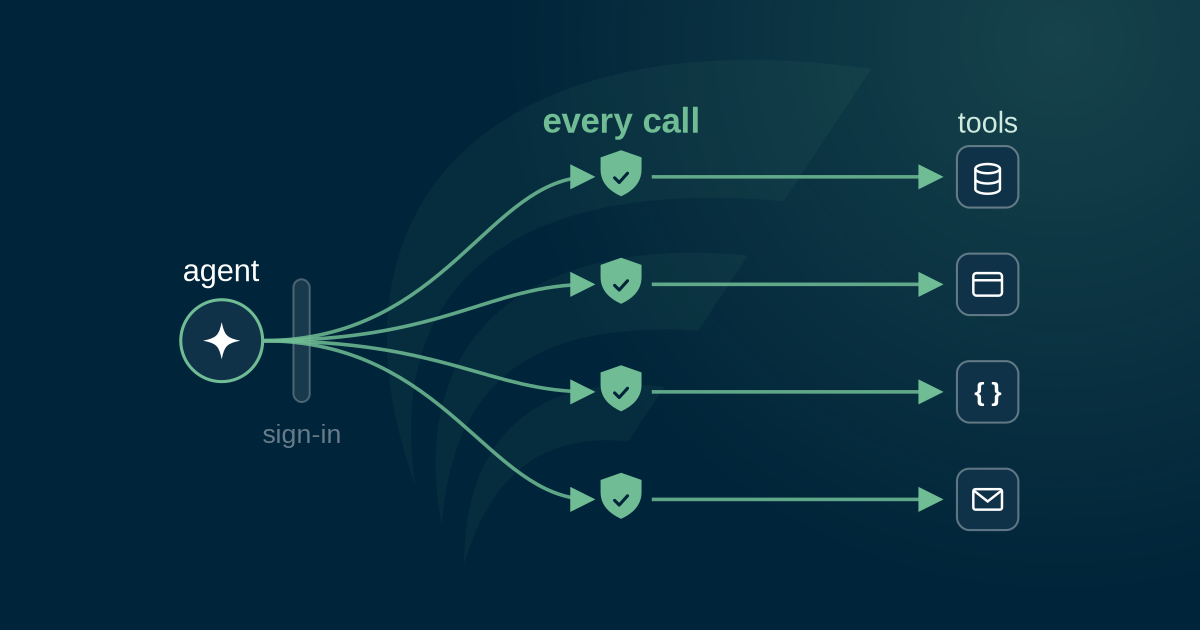
Zero Trust for AI agents: from who gets access to what the agent does
An AI agent acts for someone and calls MCP tools. How to give it an identity, limit its tools and control its egress on Cloudflare One.
Read article 10 min read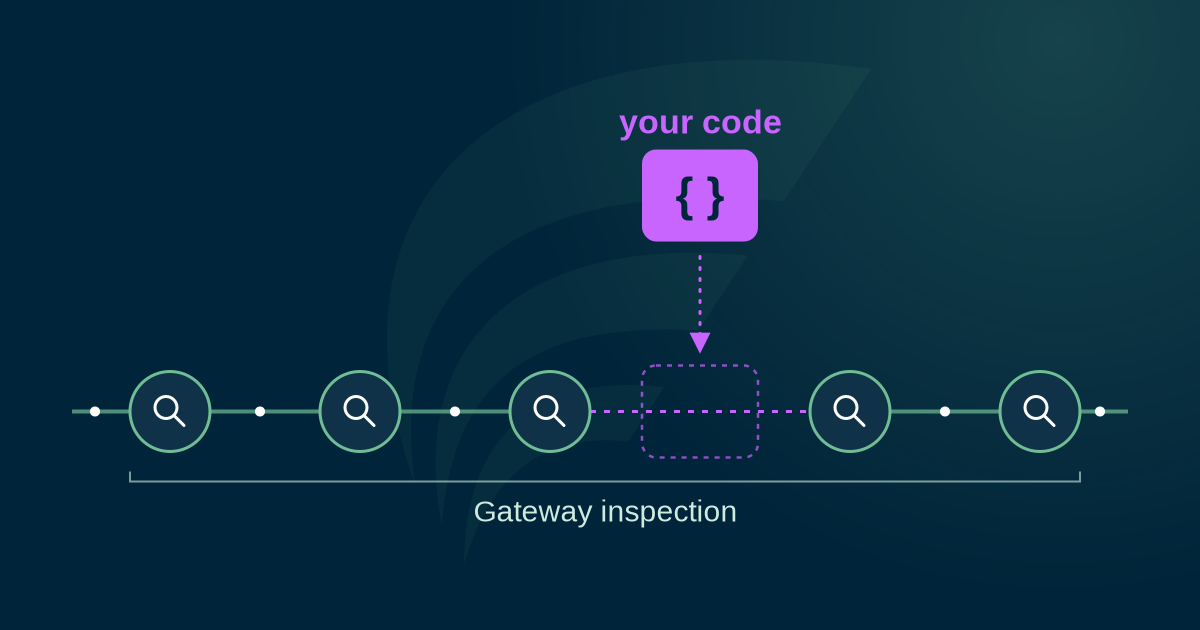
The secure web gateway becomes programmable: six use cases for Cloudflare Gateway Forward
Gateway Forward runs your own Worker on traffic Cloudflare Gateway allows. Six use cases, what each needs and where the beta stops.
Read article 10 min read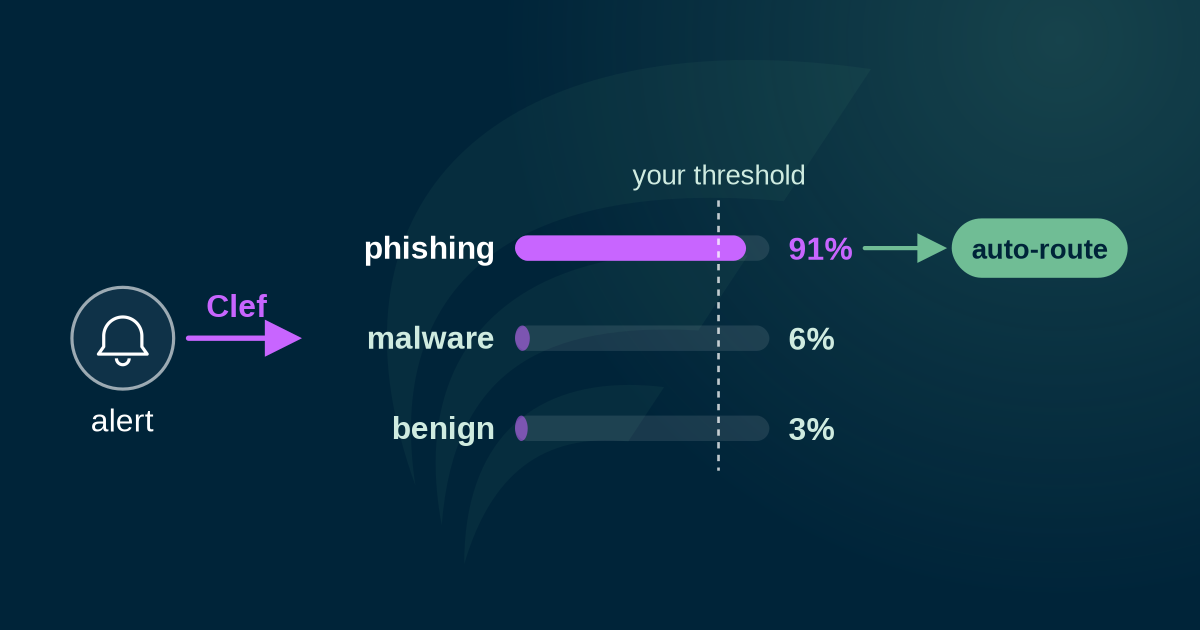
Clef and Clairic on Workers AI: what Cloudflare's published results actually show
Cloudflare Clef decides, Clairic extracts, in one pass on Workers AI. What Cloudflare measured, what it means for a SOC, how to test it.
Read article 10 min read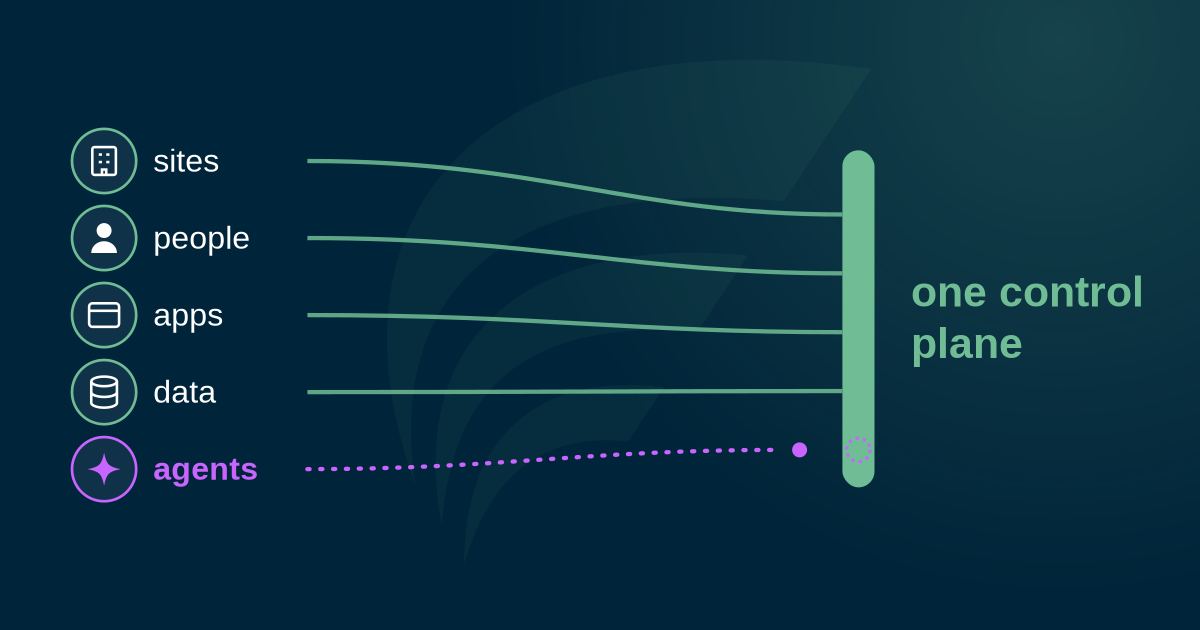
Cloudflare Connect 2026: what the agentic internet changes for enterprise security
Agentic traffic, a programmable Gateway, 22 minutes from CVE to exploitation, post-quantum: what Connect 2026 changes for your security.
Read article 9 min read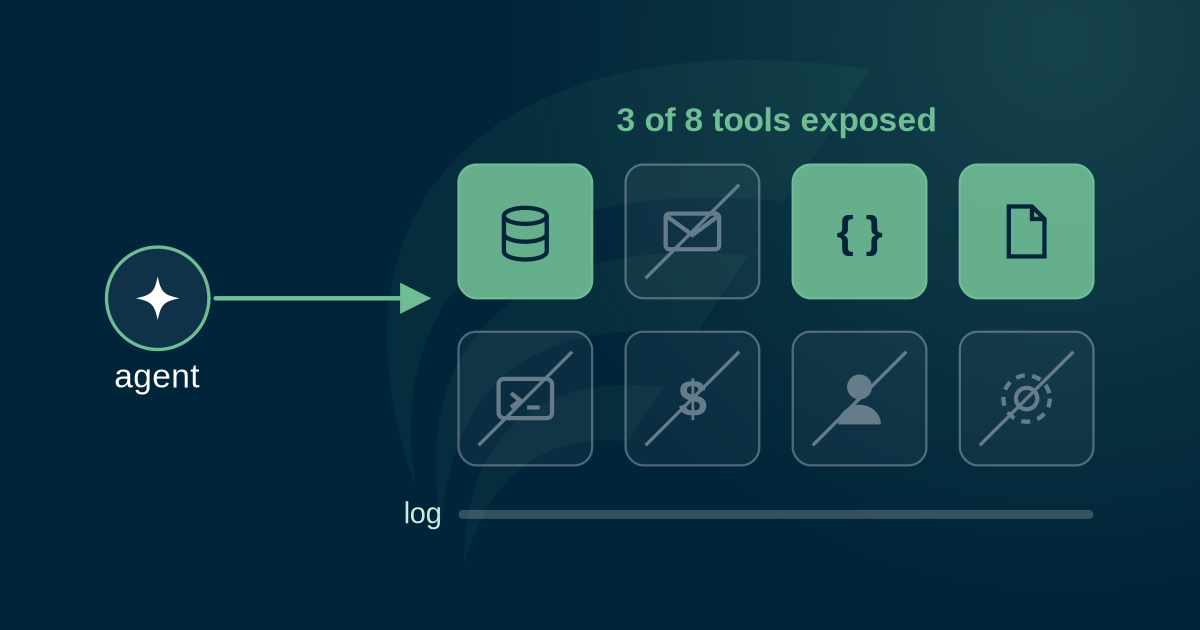
Securing an MCP server in production: which tools it exposes, to which agent, under which authentication
An MCP server exposes tools an agent can invoke. Which authentication, which tools to cut, which logs remain. Brixio, Cloudflare ASDP.
Read article 10 min readWhat if every team built its own tools with AI, without ever losing track of who reads what?
A Brixio engineer calls you back within one business day.
- You request a callbackTwo minutes, no qualification questionnaire.≤ 5 min
- An engineer calls you backA Brixio engineer reviews your use case and your Cloudflare account.≤ 1 business day
- Pilot scopePilot group, first read-only Gatekeeper, model rules and budgets in AI Gateway.After the call
- The pilot startsOne team, one task, with a named team from Access to operations.Kickoff